
Typical workflowChallenge home
Everfit
A broad platform often exposes many tools before the member understands the offer.
Kaiora preview
Kaiora can lead with the challenge itself: the promise, daily tasks, locked content, and member momentum.
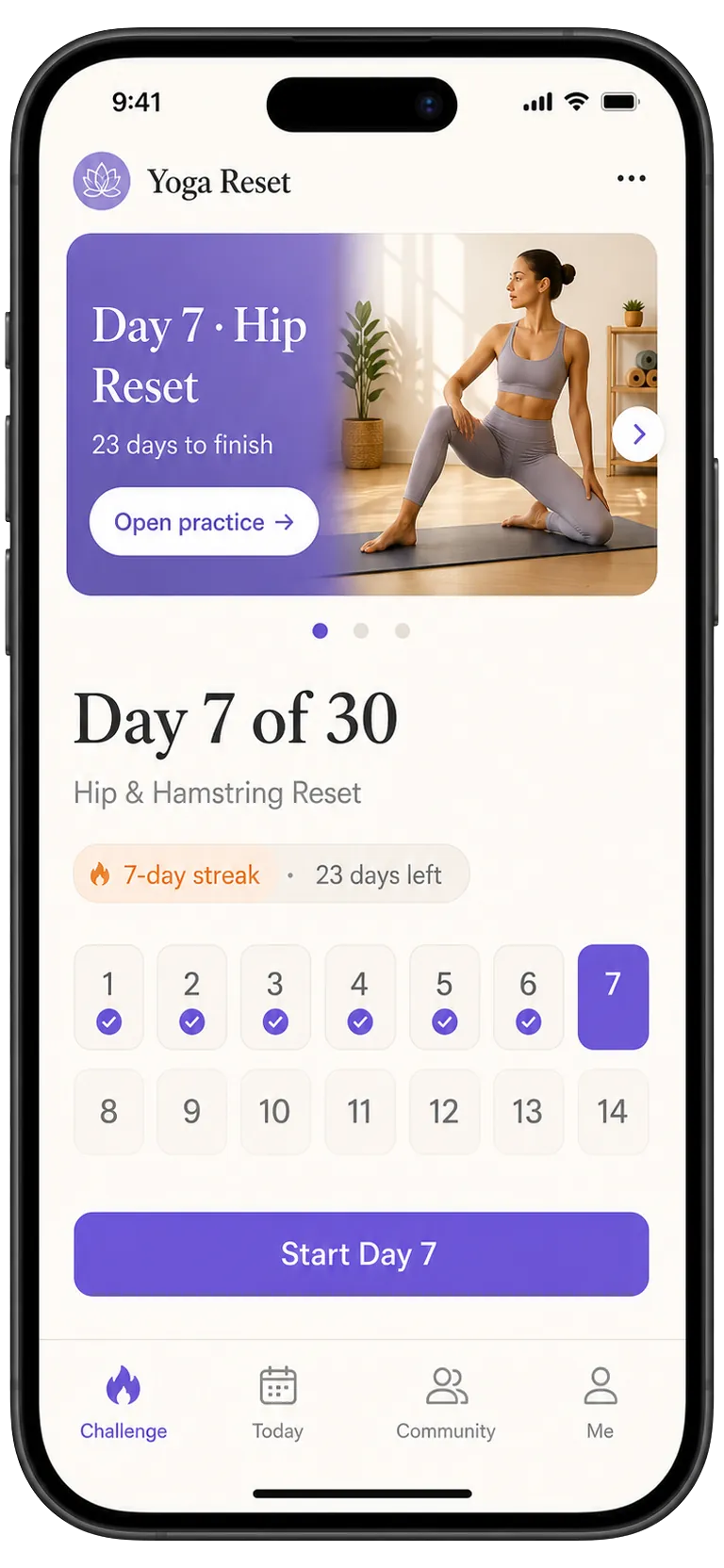
Everfit offers a broad coaching platform for workouts, nutrition, habits, messages, automation, and client management. Kaiora takes a more focused route: help coaches turn one offer into a branded, installable PWA with AI-assisted app structure and product-ready pages.
Kaiora App is independent and is not affiliated with Everfit. This page compares positioning and use cases, not every plan, integration, or feature that may change over time.
Quick answer
Choose Kaiora if you want to ship a branded app experience around a program, challenge, guide, or membership before committing to a large coaching operations migration.
Decision snapshot
Coaches, creators, and small teams that want to launch an app-like paid offer quickly and refine it around member behavior.
A broad platform can be powerful, but it can also be more system than you need when your immediate goal is a polished branded app for one program or audience.
Kaiora keeps the launch path tight: choose a format, generate a PWA draft, edit the client experience, connect payments, and publish.
Comparison points
| Factor | Everfit | Kaiora App |
|---|---|---|
| Client experience | Everfit covers many coaching operations, including workout programming, nutrition, habits, messaging, automation, and client management. | Kaiora narrows the focus to a branded PWA that packages training, resources, communities, locked content, and member access. |
| Setup and launch | Best when you want a broad operational workspace with many coaching tools. | Best when you want to move from idea or existing content to a working app draft quickly. |
| Program delivery | Strong for coaches managing varied client programs and ongoing accountability. | Strong for offer-led apps where the client journey, content structure, and sales flow need to feel custom. |
| Selling and access | Useful when Everfit's built-in business tools match your coaching model. | Useful when you want the app to present products, memberships, locked modules, and upgrade paths as part of the experience. |
| Brand control | The brand sits inside an established coaching platform. | The brand sits on the app: logo, content structure, member pages, custom domain, and installable PWA flow. |
Visual comparison
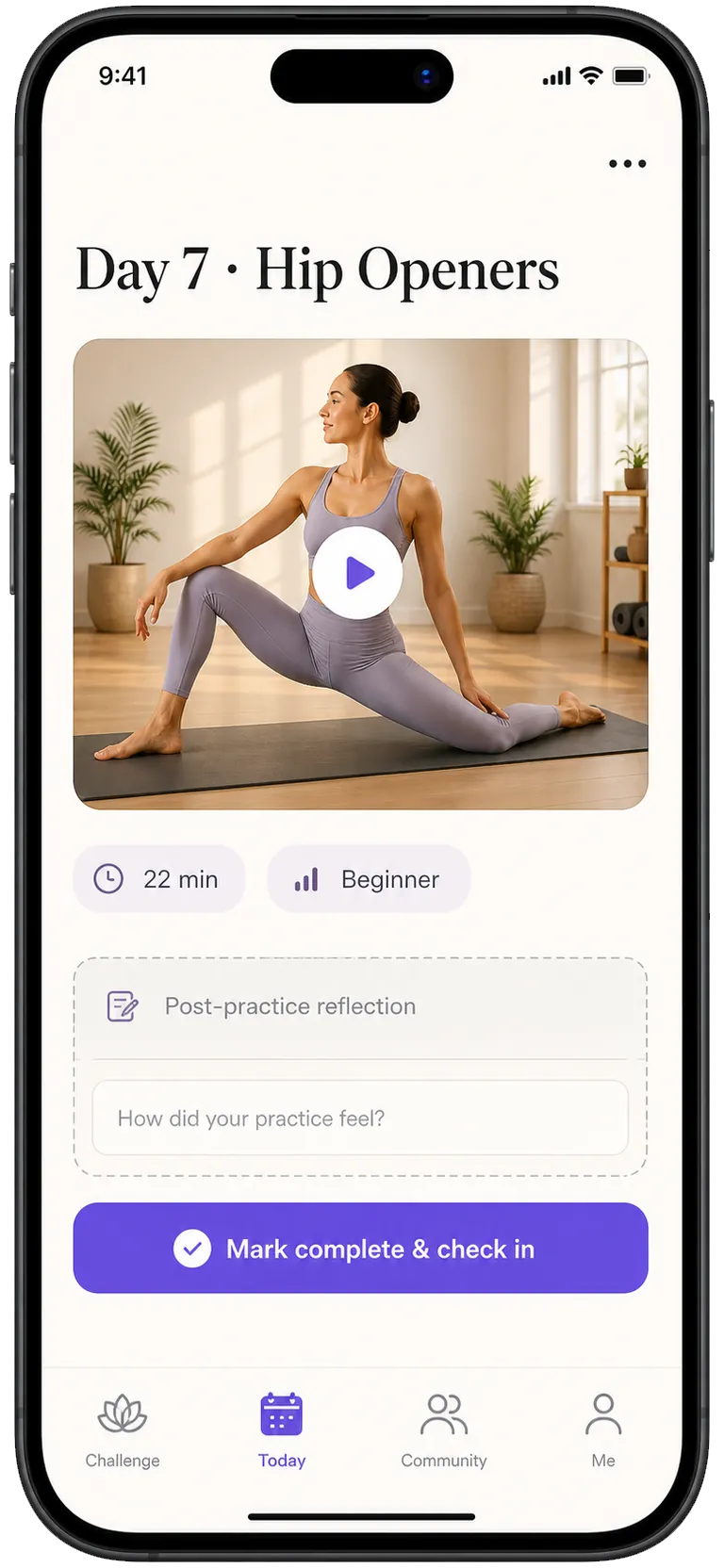
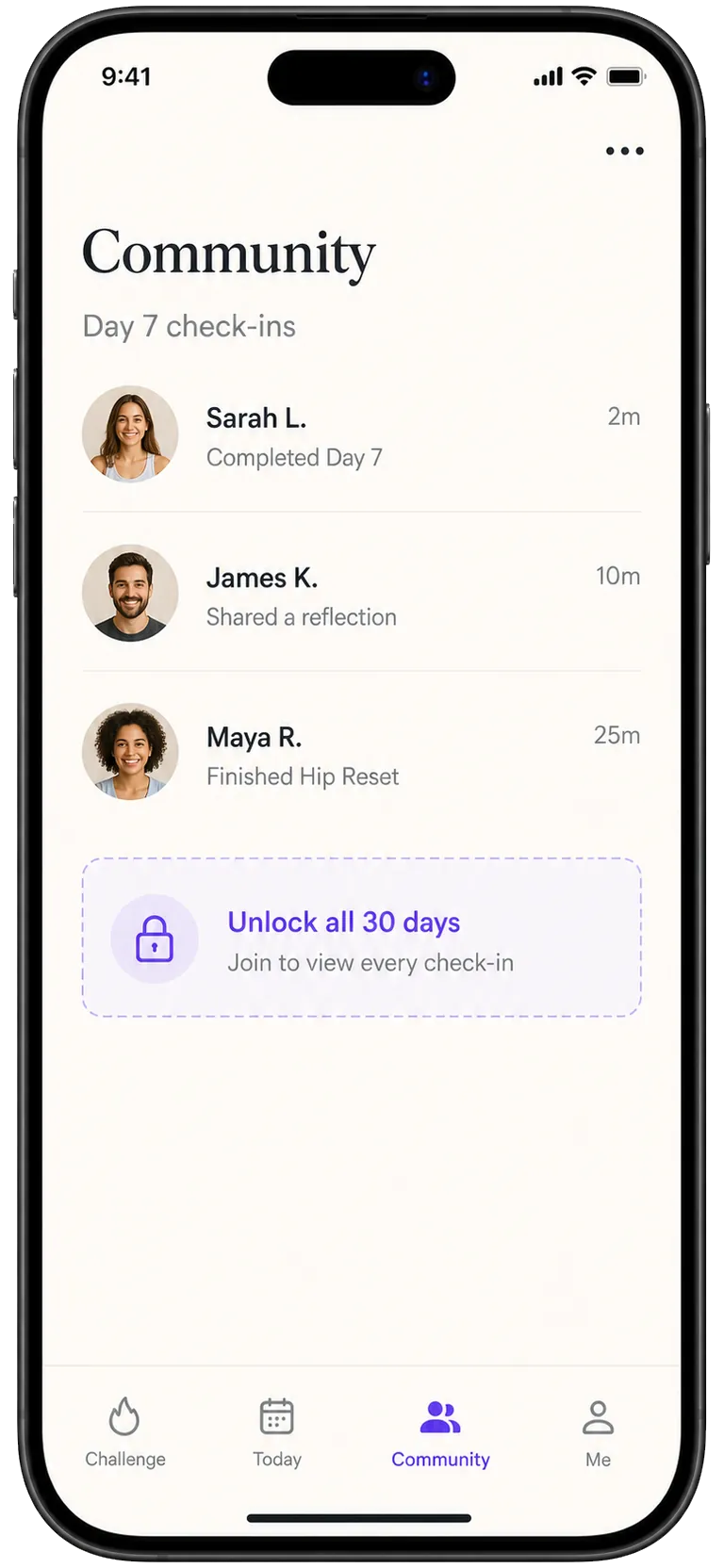
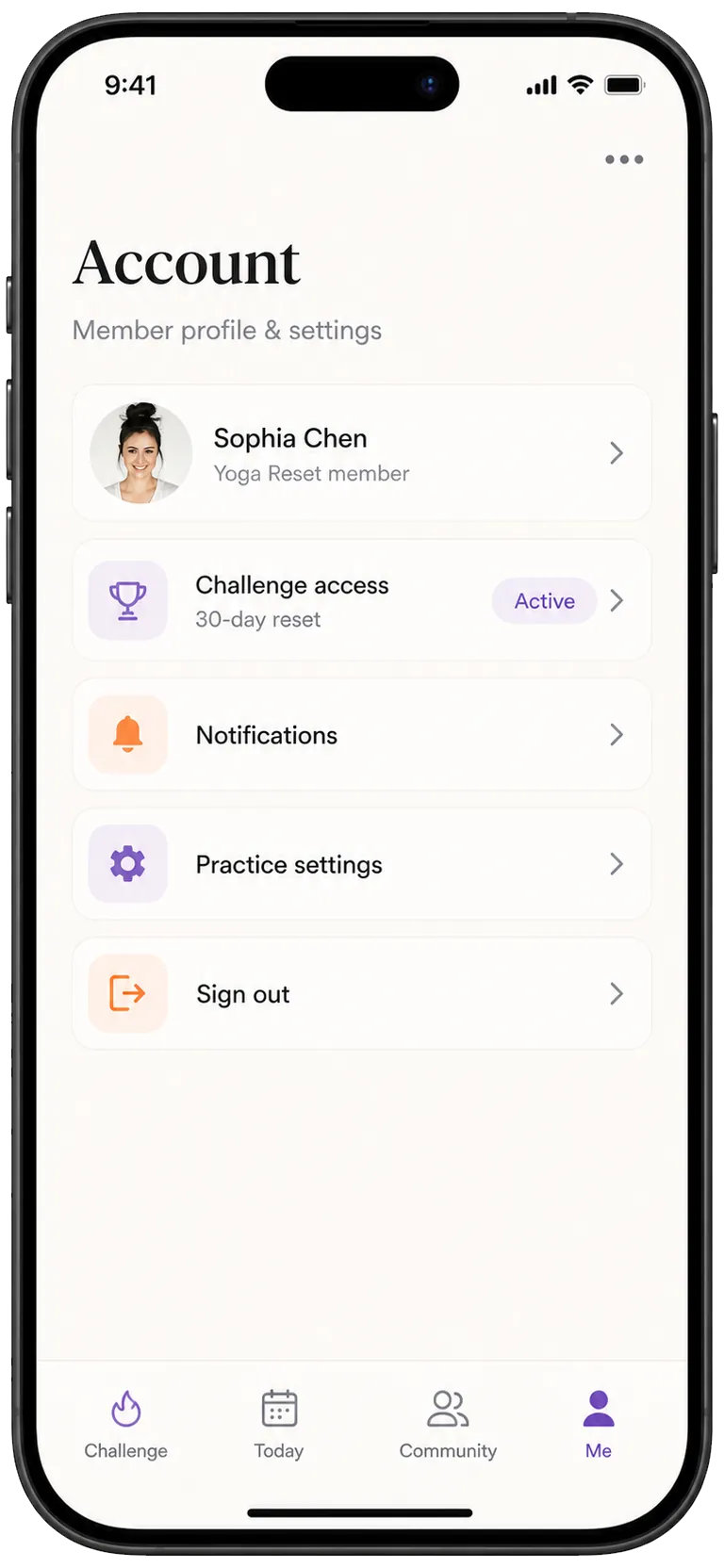
The left side is an illustrative workflow sketch, not a third-party product screenshot. The right side shows Kaiora app preview screens from the local template library.
A broad platform often exposes many tools before the member understands the offer.
Kaiora can lead with the challenge itself: the promise, daily tasks, locked content, and member momentum.
Daily accountability can become one tab inside a larger operations system.
Kaiora turns the daily action into the center of the mobile experience, with less setup noise for members.
Community is often added beside programming, nutrition, and automation.
Kaiora keeps community close to the program so wins, questions, and prompts support the same paid offer.
Access and settings can feel like admin details.
Kaiora makes account, access, and unlocks part of the branded app, not a separate backend concept.
Practical details
Related comparisons
Start with one offer, one audience, and one app experience. Kaiora turns that into a publishable PWA you can refine before moving every client.